Asking for Feedback in DAPs: Dos and Don’ts for GRAVITY Authors
Learn how to use Feedback Callouts to ask the right questions, reduce user friction, and turn in-app feedback into actionable digital adoption insights.
Every digital adoption platform (DAP), including GRAVITY, is designed to support users in the flow of work. But good digital adoption is not only about guiding users — it is also about listening to them.
With GRAVITY Feedback Callouts, Authors can collect in-app feedback directly where the experience happens: after users try a new feature, complete a process, or encounter a change. This helps teams understand what works, where users feel uncertain, and where digital friction still exists.
As highlighted in Writing for DAPs: How GRAVITY Authors Create Guidance Users Actually Follow, feedback works best when it follows the same principle as good guidance: it appears at the right moment, asks one focused question, and gives users a simple way to respond without leaving the application.
Feedback That Feels Relevant
Feedback requests are most effective when they appear at the right moment, ask one focused question, and relate directly to what the user has just experienced. In a DAP, you are not asking users to evaluate an entire system. You are asking them to react to a specific feature, process, change, release, or onboarding step.
With GRAVITY Feedback Callouts, Authors can collect this feedback directly inside the application using thumbs up/down ratings, star ratings, and optional free-text comments. The responses can then be reviewed in Barycenter, helping teams understand what works, where users feel uncertain, and where digital adoption can be improved. For more structured feedback, Feedback Callouts can also be combined with the Wizard layout, as explained in Build In-App Surveys with Wizard & Feedback Callouts.
The goal is not to ask more questions.
The goal is to ask better questions.
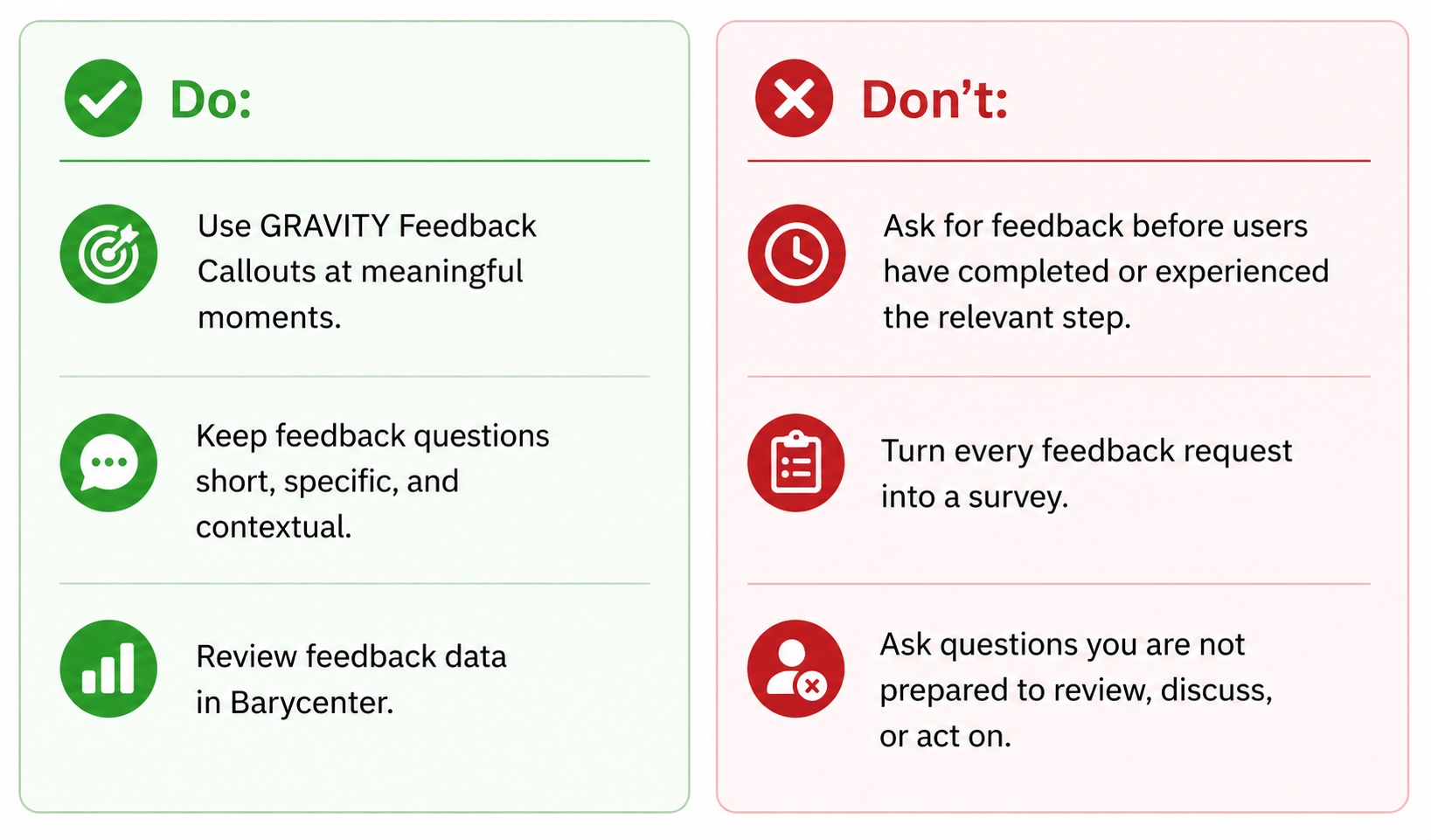
Do: Use GRAVITY Feedback Callouts at meaningful moments
Ask for feedback when the experience is still fresh — for example, after users try a new feature, complete a process, encounter a change, or finish an onboarding step.
A good Feedback Callout appears close to that moment and asks one focused question, helping teams collect relevant in-app feedback and understand where the experience is clear, confusing, or ready to improve.
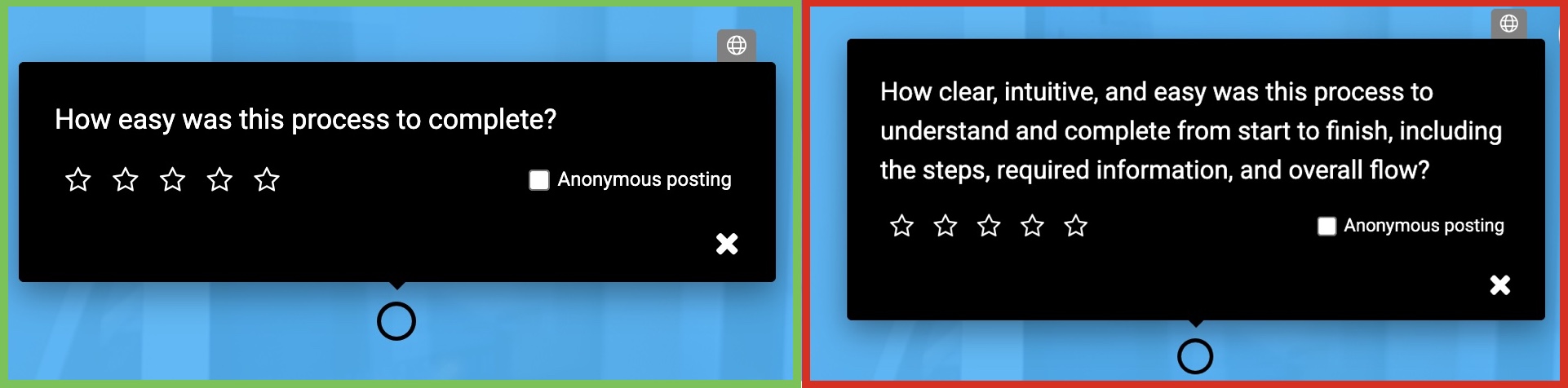
Do: Keep the feedback question short and specific
A Feedback Callout should ask one focused question. Users should immediately understand what they are rating and why. Instead of asking a broad survey question about the overall application experience, ask something specific to the moment, such as: “How easy was this process to complete?” or “Was this new feature clear?”
Do: Use Callout Management feedback data to analyse responses
Feedback is only valuable if it leads to action. With GRAVITY Feedback Callouts, Authors can collect responses directly in the workflow, while Barycenter helps teams review and interpret feedback over time.
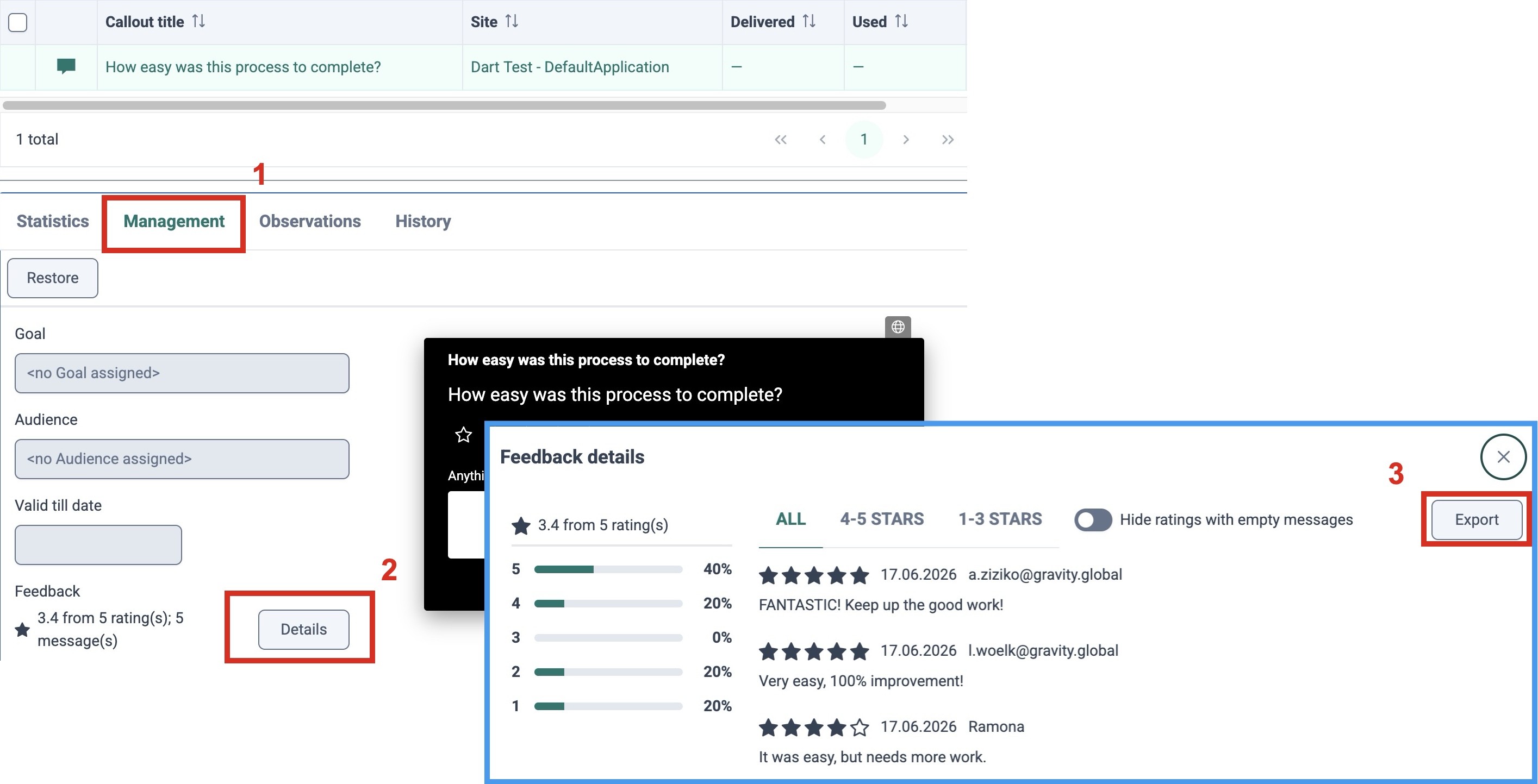
Use the results to spot patterns: poorly rated features, processes, or changes may need clearer communication or additional support; repeated comments can reveal uncertainty in the workflow; positive feedback can highlight what works well; and low response rates may indicate that the question appears at the wrong moment. This helps teams move from guessing to learning and turns feedback into continuous digital adoption improvement.
Don’t: Turn every feedback request into a survey
Not every feedback moment needs a comment field, a long explanation, or multiple questions. If users feel like they are being asked to complete a survey inside their workflow, the request becomes digital friction.
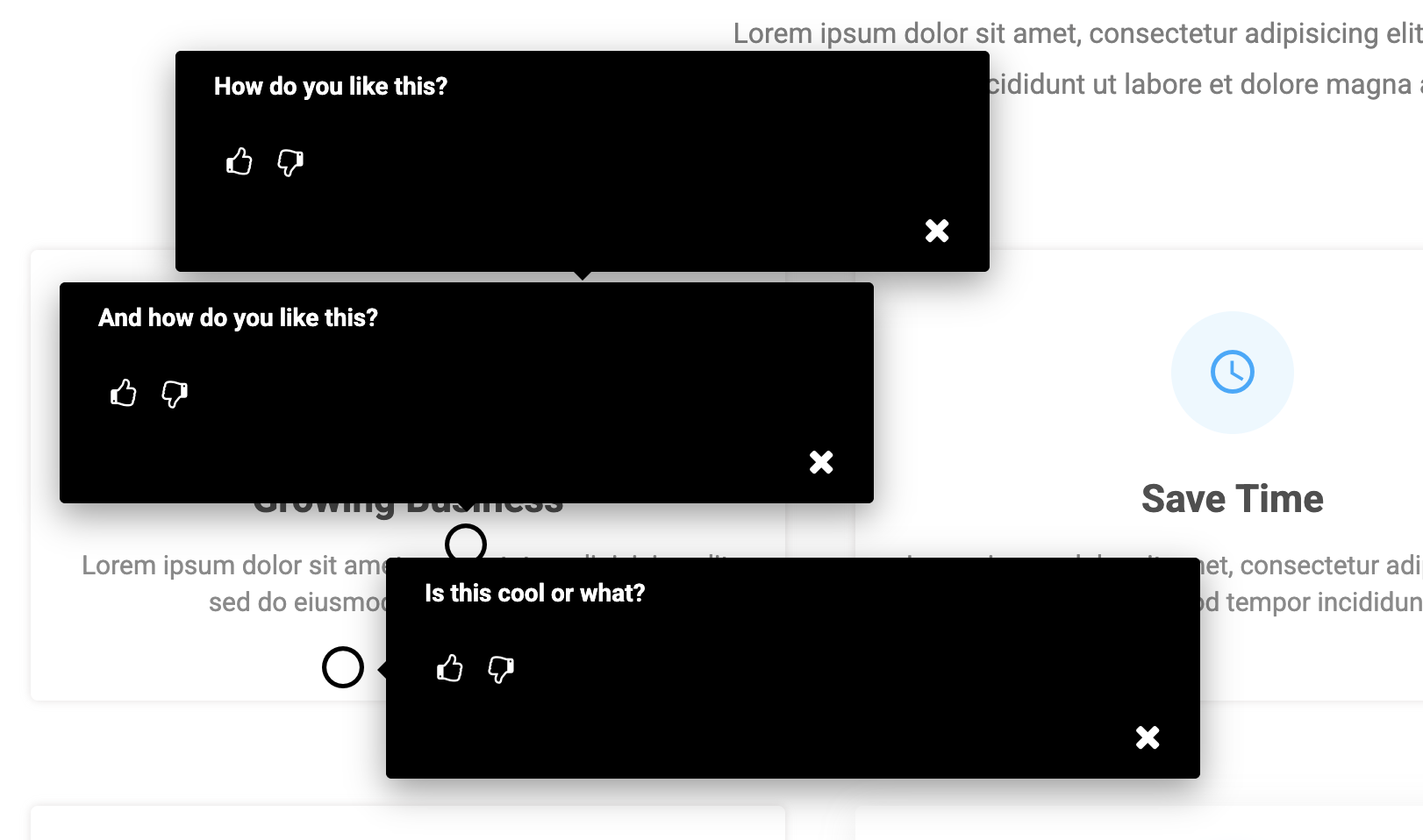
Build In-App Surveys with Wizard & Feedback Callouts explains how to create a multi-question survey inside one Wizard Callout, so the experience still feels guided, contained, and embedded in the user journey.
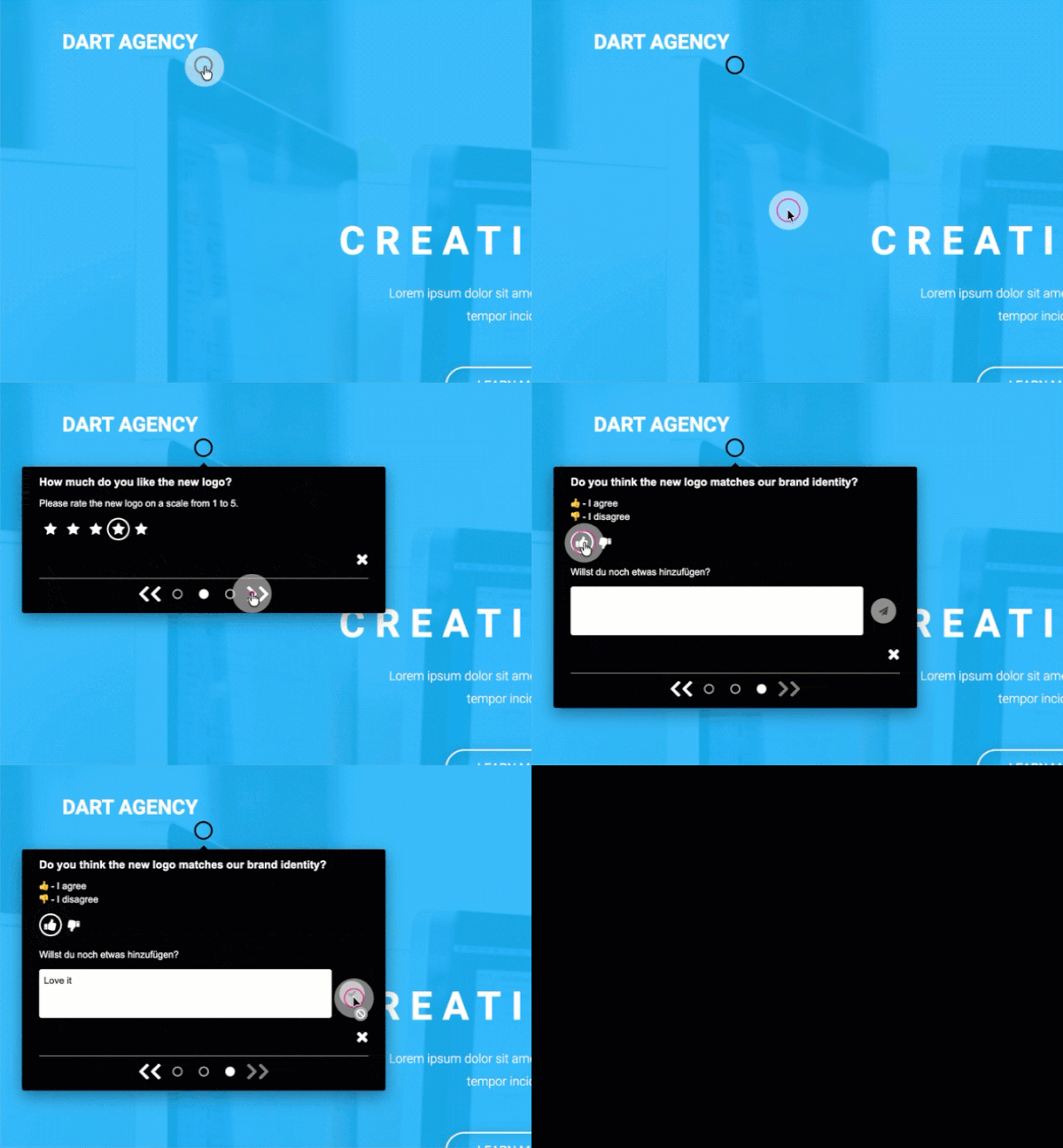
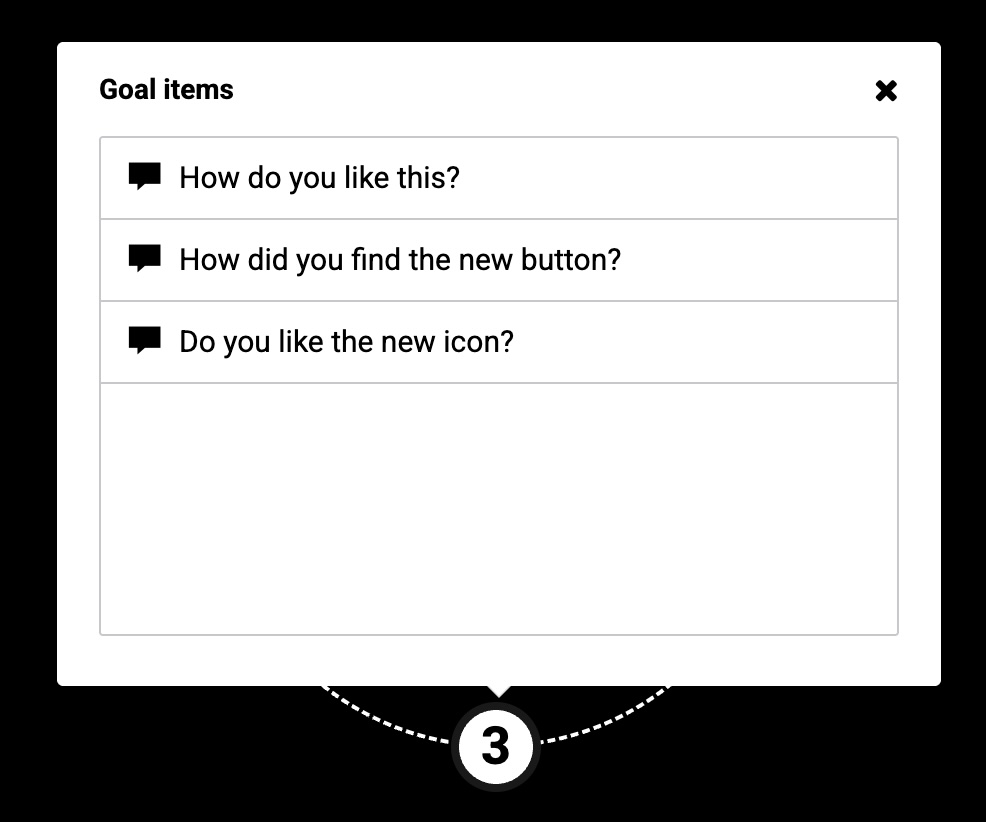
Alternatively, if a survey is needed and cannot be avoided, consider adding multiple Feedback Callouts to a Goal and sequencing them with the Goal Appearance option One by one. Using Learning path logic, this creates a smooth in-app survey experience that guides users step by step and allows them to provide rich, in-the-moment feedback.
Don’t: Ask questions you are not prepared to act on
Only ask for feedback if you are prepared to use it. Before publishing a Feedback Callout, be clear on what you want to learn, who will review the responses, and what could change based on the results. This turns user feedback into continuous improvement, rather than a one-time measurement exercise.

Embrace the digital adoption platform of tomorrow - GRAVITY
The Digital Adoption Updates You Can't Miss - Subscribe Now!
Join Our Monthly Author Call – Stay Ahead of the Curve with the Latest Trends!
Conclusion: Good Feedback Feels Effortless
The best feedback requests feel natural. They appear at the right moment, ask one clear question, and make it easy for users to respond.
With GRAVITY Feedback Callouts, Authors can collect user input directly inside the application, connect feedback to real workflows, and use Barycenter insights to continuously improve digital adoption content.
Good feedback does not interrupt the user journey. It strengthens it.

Ramona Lescesen
After completing my Masters in the UK, I had the opportunity to start my career in London's vibrant start-up scene. In my career, I have had the privilege of seeing how a start-up can grow into a global market leader. This has taught me the importance of good communication and how best to manage a company's most important relationships - its customers.
Latest articles
Browse all posts