Anatomy of A Great Callout
Learn how effective preparation and best practices can help you craft impactful callouts quickly, whether using tools or drafting manually.
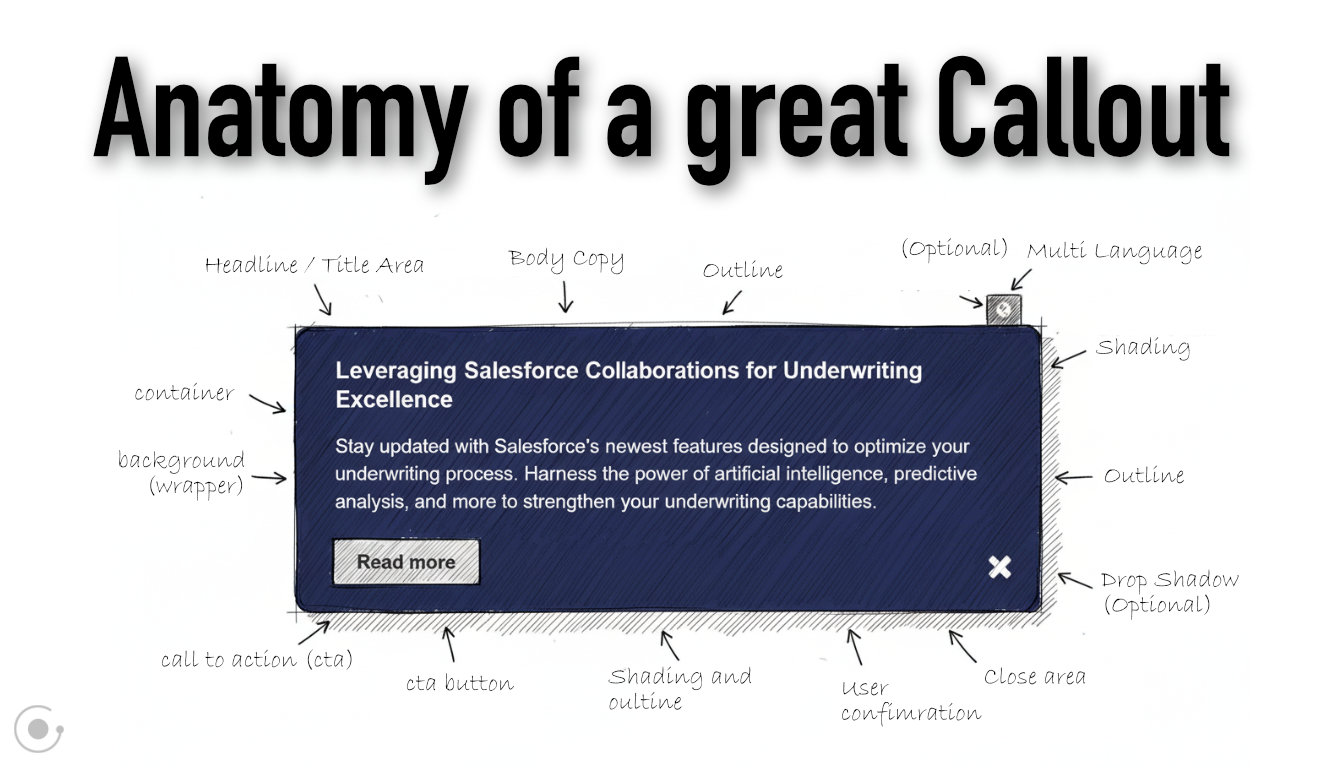
Callouts are more than decorative text boxes—they’re actionable, user-centric tools. Whether you’re supporting decision-making, enforcing clarity, or solving a problem, the right callout elevates your messaging.
GRAVITY’s Callout types make it easy to pick the right format for your message. They range from simple informational blocks to calls-to-action (CTA), warnings, and question prompts. Effective Callouts provide clarity, avoid ambiguity, and increase user engagement. Here’s why crafting them thoughtfully matters:
Benefits of Great Callouts
Attention Control: A well-designed Callout captures user focus precisely when and where it’s needed.
Consistency Across Applications: Callouts enforce uniform guidelines and patterns, so users always know what to expect—whether it’s an informational note or an alert.
Enhanced Problem-Solving: By leveraging the right type of Callout—like highlights for summaries or warnings for critical issues—you help users interpret and act on details more quickly.
Accessibility and Visual Hierarchy: Clear callout designs reduce cognitive load, enabling authors and users to collaborate effectively.
However, when poorly structured, Callouts can create confusion or overwhelm readers. For example:
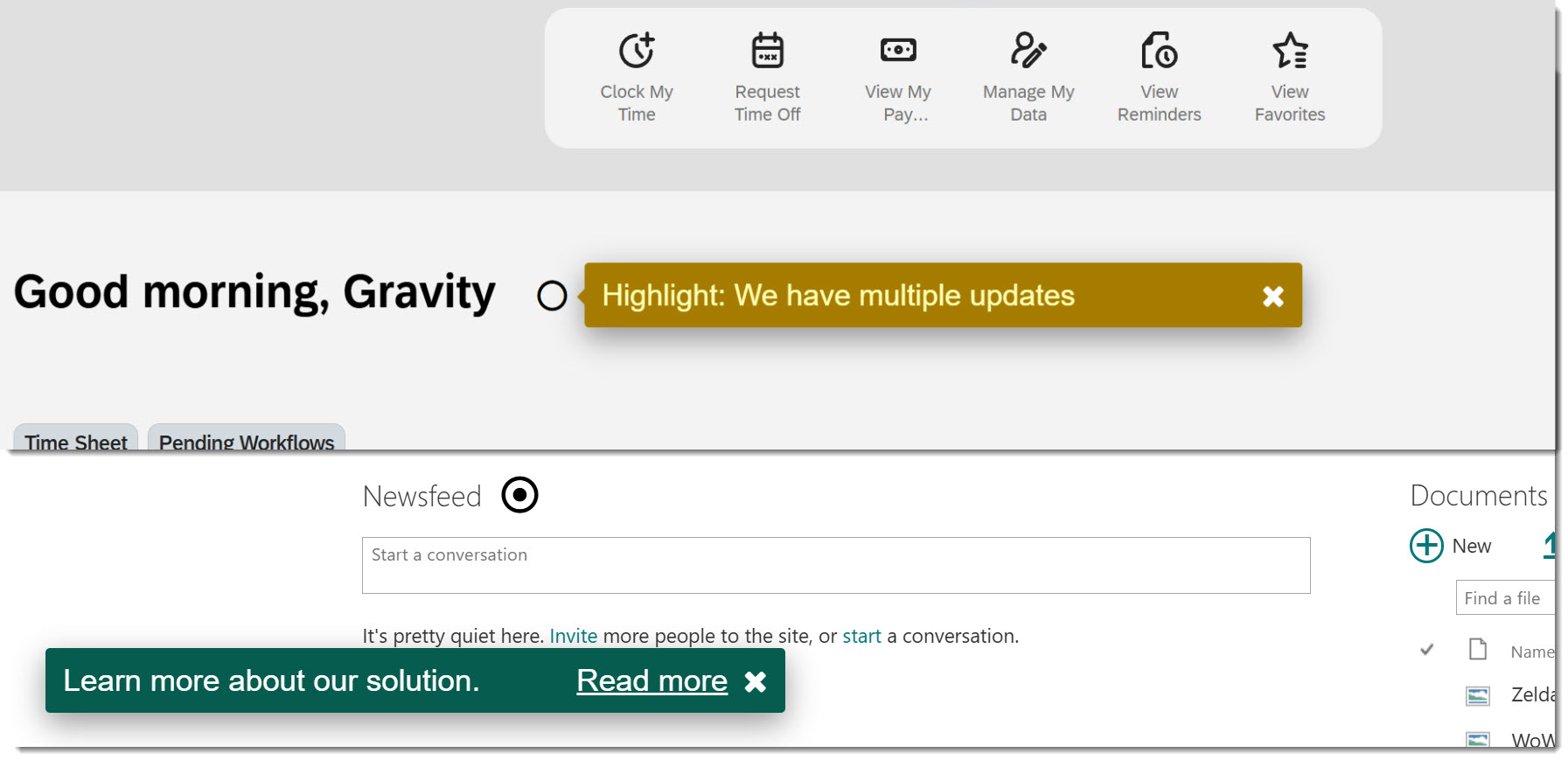
These convey little context or action, leaving the audience unsure of what's being communicated—or why it matters. Callouts should place clarity and usability first, whether created manually or assisted by intelligent design tools such as GRAVITY’s AI-Assistant.
Anatomy of A Great Callout
Callout’s effectiveness depends largely on how well it’s tailored to its intended audience and goal. Every type of callout—from warnings to CTAs—follows some universal principles of design and content. Use this checklist to create (or review) Callouts that truly resonate:
1. Purpose-Driven Type Selection
Choose your Callout type based on the function. For example:
Highlight: To emphasize key details or data.
Information: For guidance or general details that are helpful but not urgent.
CTA (Call-to-Action): To prompt users to act on something specific.
Warning/Alert: Critical messages requiring immediate attention or caution.
Be sure to check “Which Callout type is the right one” in the GRAVITY Documentation.
2. Actionable, Clear Copy
Use concise and precise language that communicates an immediate takeaway. For instance:
"Update your SAP User Profile for better experience" (CTA)
"Unexpected error occurred: please reload Salesforce" (Warning)
"Friendly Reminder: Your progress automatically saves every 10 minutes" (Information)
3. Prioritization with Visual Hierarchy
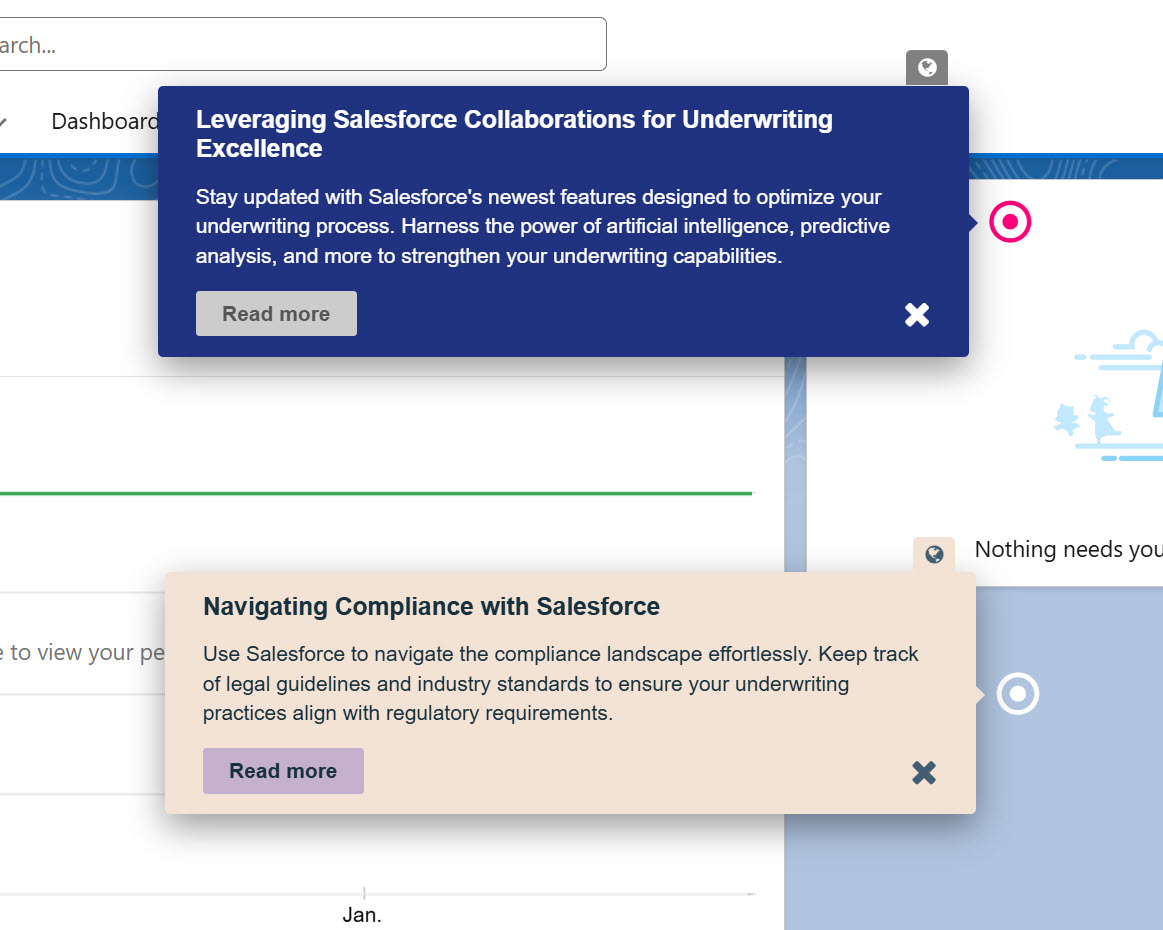
Use the title and text, images or color-coded Hotspots or Callout background to pair the Callout with strong visual styling. Use red for warnings and blue for informational points, for example.
4. Avoid Overuse or Saturation
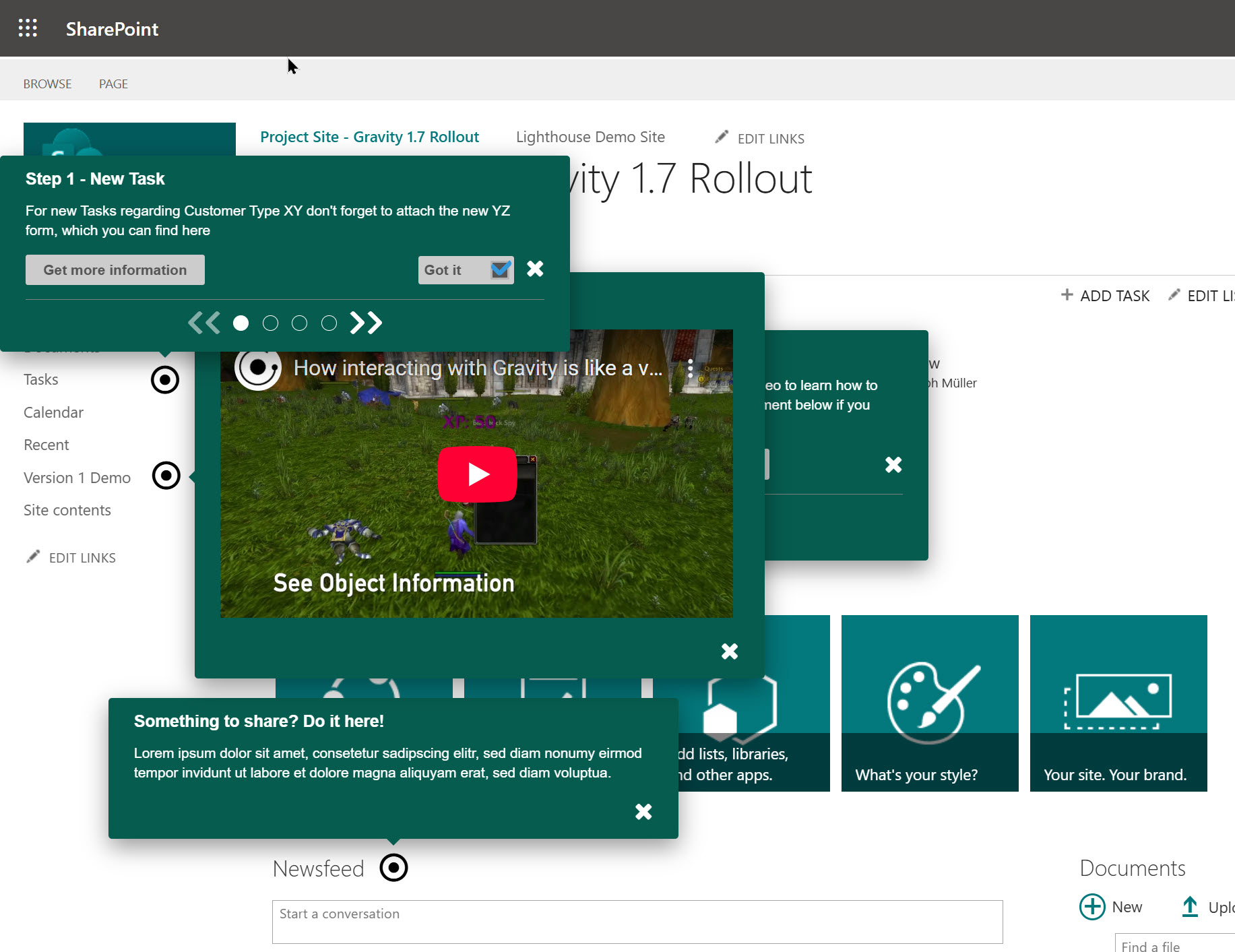
Limit the number of Callouts on any single page. Too many flashy visuals interrupt focus and dilute your message.

Embrace the digital adoption platform of tomorrow - GRAVITY
The Digital Adoption Updates You Can't Miss - Subscribe Now!
Join Our Monthly Author Call – Stay Ahead of the Curve with the Latest Trends!
Crafting Callouts: Preparation Meets Precision
Having the right preparation is key to writing great Callouts effectively. Whether you're using GRAVITY’s editing menue or drafting Callouts in a Word Document, keep these principles in mind:
1. Start With the User Problem: Begin by identifying the user's pain points. Ask yourself: What question is this Callout answering? What emotion or action am I targeting here?
2. Leverage Templates for Structure: Templates accelerate your process by ensuring all necessary details are included right from the start. For example:
Warning Callout

Message: Platform update required.
Image: Yellow exclamation.
Reason: Security vulnerabilities identified.
Required Action: Contact IT to apply patch.
3. Consistency is critical. Standardize Callout colors, HJotspot colors, and icons/images across your Callouts and applications. This creates predictable and recognizable elements within your content, so users won't have to interpret new designs each time.
4. Testing and Iteration: Use Callout- and Telemetry Analytics in Barycenter to track engagement. Did your users click the call to action (CTA) or acknowledge the warning? If not, refine your copy or layout.
Which Callout type is right for your content? GRAVITY offers a variety of Callout types designed for different purposes. Here’s how to choose the right one: Which Callout type is the right one?
Now it's your turn!
Think of writing Callouts as designing signposts for your users. The clearer and more precise your Callouts are, the fewer questions users will have, and the quicker they’ll act on your content.
The next time you need to guide a user’s attention, don't just add a title and a block of text. Begin by identifying the question you’re answering, selecting the appropriate Callout type, and applying principles that ensure consistency and speed.
Callouts are where communication meets application design, so choose your words carefully. Happy writing!

Christoph Müller
For years I used corporate Intranets in the workplace, experiencing firsthand that traditional learning formats for IT rollouts and employee onboarding do not work. I developed GRAVITY software to tackle this challenge. Employees are happier because learning is simple and effective; businesses are happier because their IT rollouts are successful and cost a lot less than before.